


BTC Smart Agent – ASIC Miner Monitoring Tool
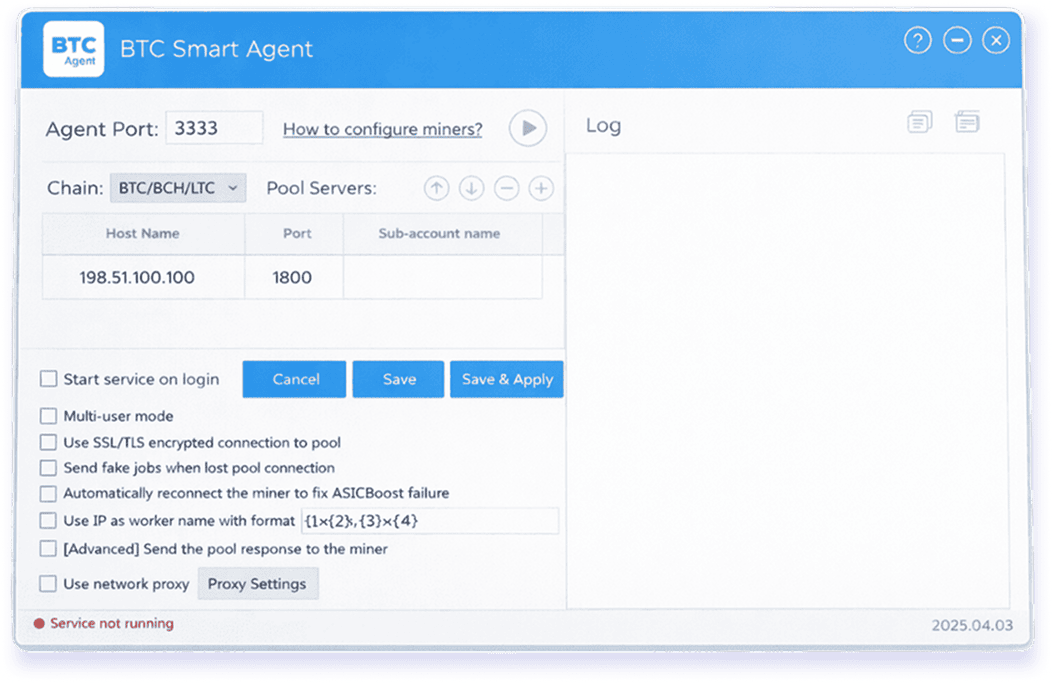
BTC Smart Agent is a software solution for monitoring ASIC miners within a local network.
On this page, you will find the basics of ASIC miner monitoring, how to track miners in real time, how to check their status, and where to download BTC Smart Agent.
Important: the availability of miner status metrics depends on the miner model, firmware, and network configuration.
What Is ASIC Miner Monitoring
ASIC miner monitoring is the process of tracking a miner’s operational state and establishing an online connection between miners and your PC. It allows you to detect issues quickly without having to manually check each miner one by one.
ASIC miner monitoring includes:
- Checking whether a miner is reachable on the network (reachable / not reachable)
- Basic ASIC miner status (for example: online / offline / no data)
- Metrics provided by the miner firmware through a monitoring interface or API
BTC Smart Agent helps you collect all this data in one place and clearly shows which miners require your attention or configuration adjustments.
Download ASIC Miner Monitoring Software
If you need a fast and easy start with ASIC miner monitoring, download BTC Smart Agent for Windows.
The latest version is available on the Download page:
Monitor ASIC Miners in Real Time
The main purpose of real-time monitoring is to give you a clear picture of what is happening “here and now.”
BTC Smart Agent helps you track your miners in real time at both the network and device data level.
It allows you to:
- View an overview of all your miners
- Receive status updates as data is collected
- Quickly identify problematic miners
If some metrics are not displayed, this is usually caused by miner firmware limitations or access settings, not by the software itself.
Check ASIC Miner Status
Why do you need to check the status of ASIC miners?
This check helps you quickly answer the main question: “Which miners are working properly right now, and which ones require attention?”
Typical situations:
- The miner is not reachable by IP (network issues, addressing problems, or isolation).
- The web interface opens, but shows limited data (firmware or API restrictions).
- Status updates are unstable (local network speed and quality, router rules, filtering).
Basic troubleshooting steps you should follow:
- Make sure that your PC or virtual server and the miner are on the same local network (or that network routing is configured without restrictions).
- Check whether the miner’s IP address is still valid (it may have changed due to DHCP or firmware settings).
- If no data is displayed, check whether the firmware limits access to the miner’s interface.
Help & Documentation
BTC Smart Agent supports advanced ASIC monitoring and automation features.
Detailed setup guides, configuration tips, and troubleshooting instructions are available on the BTC Smart Agent Help & Documentation page.